Case · Webroot Digital Life Protection
Rebuilding an antivirus app into a digital life protection service
I led and managed the design for a ground-up rebuild of the Webroot consumer client, packaged it into two new SaaS tiers, Total Protection and Scam Protection, and raised the team's practice along the way: an APCA-based accessible color system, and a design language that stretched into B2B and a co-branded Allstate Identity Protection partnership.
Results
Integrating VPN into the new Total Protection tier lifted revenue roughly 39% over the prior Webroot Premium tier, which carried Allstate Identity Protection services.
VPN adoption rose 23% over previous versions, the payoff of better wayfinding, onboarding, and simply making people aware of what their subscription already included.
A five-fold increase in conversion, with retention metrics trending the same way.
Moved the team to APCA perceptual contrast and Figma tooling, and refined an agency-supplied marketing palette into a product-safe color system before it reached the UI.
The same status model, message center and feature grid shipped as a co-branded Allstate Identity Protection client on Windows, without forking the product.
The work
Webroot Total Protection, rebuilt. The consumer client is where the whole subscription either earns trust or loses it, so the rebuild puts one honest status answer at the top, a flat set of protection services underneath, and a message center that tells people what actually happened, in light and dark, on macOS and Windows.
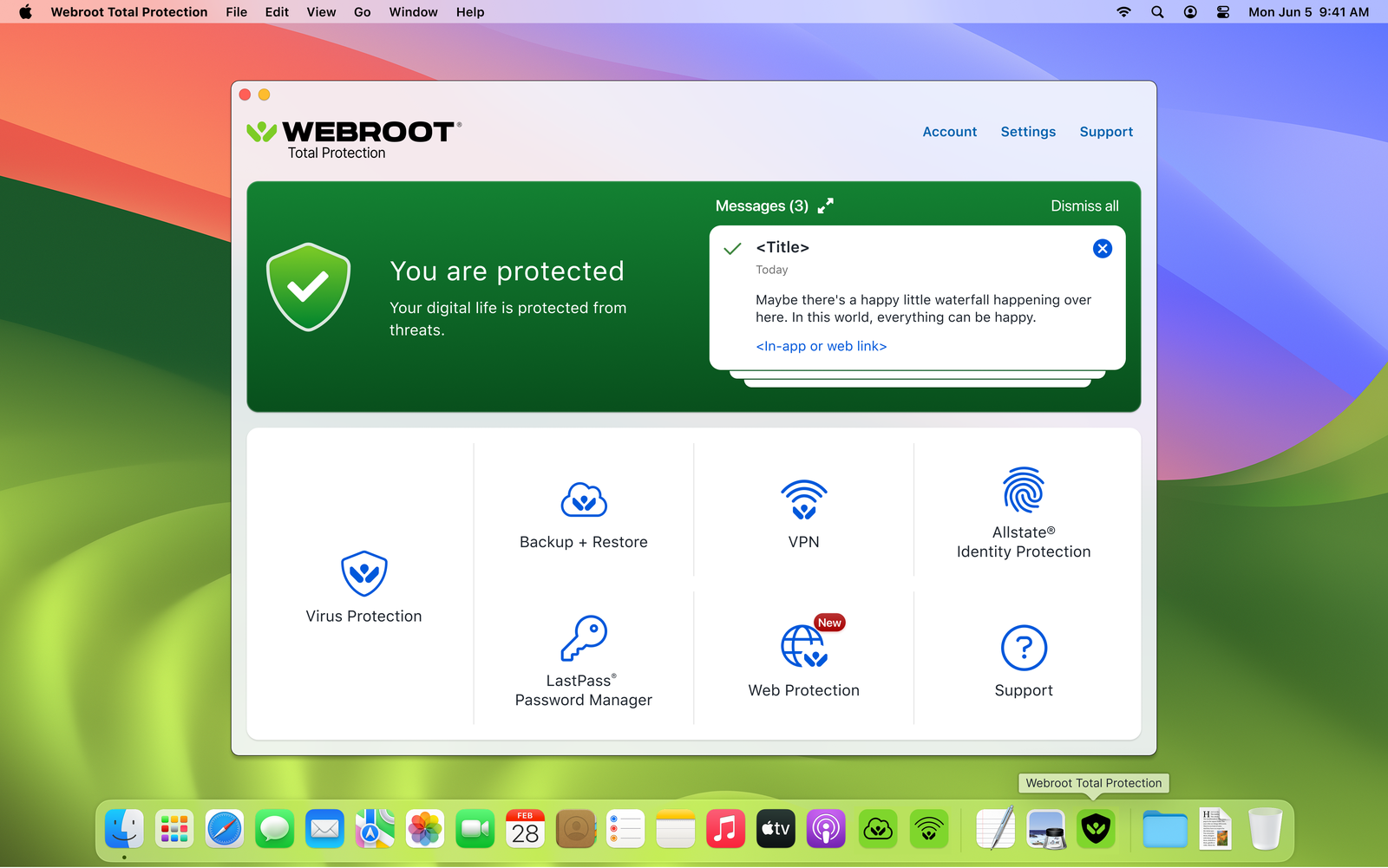
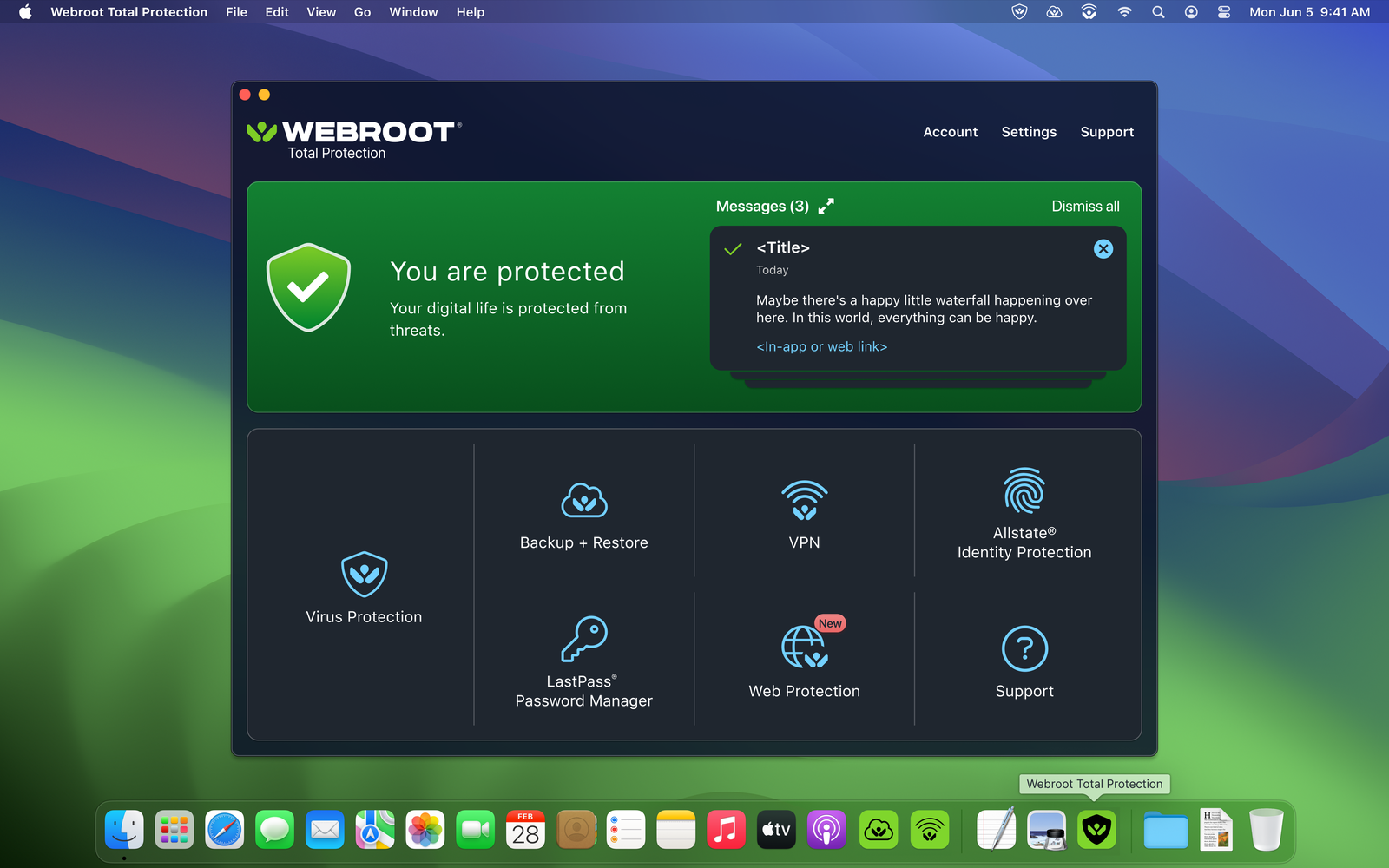
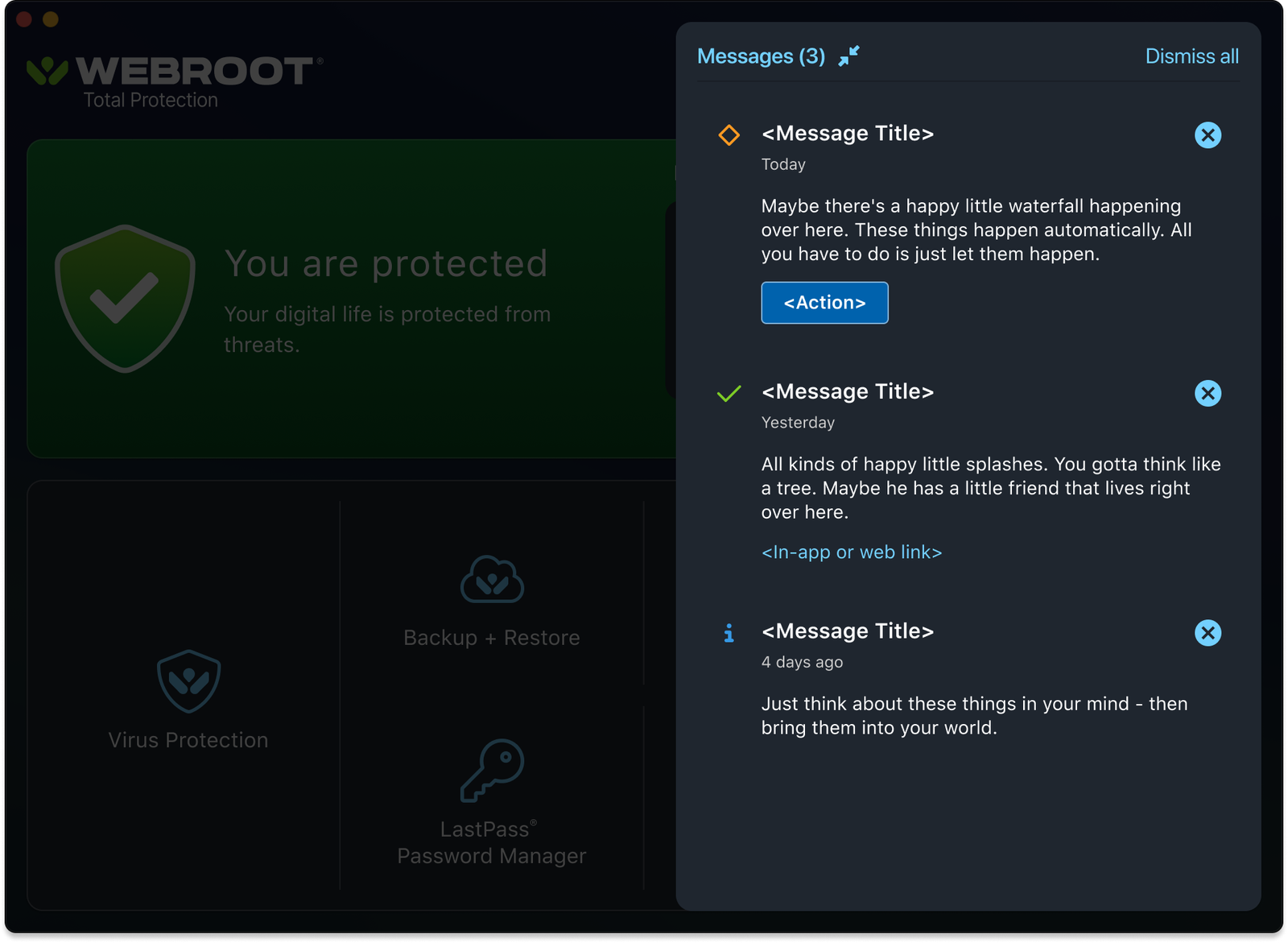
The expired state, both appearances
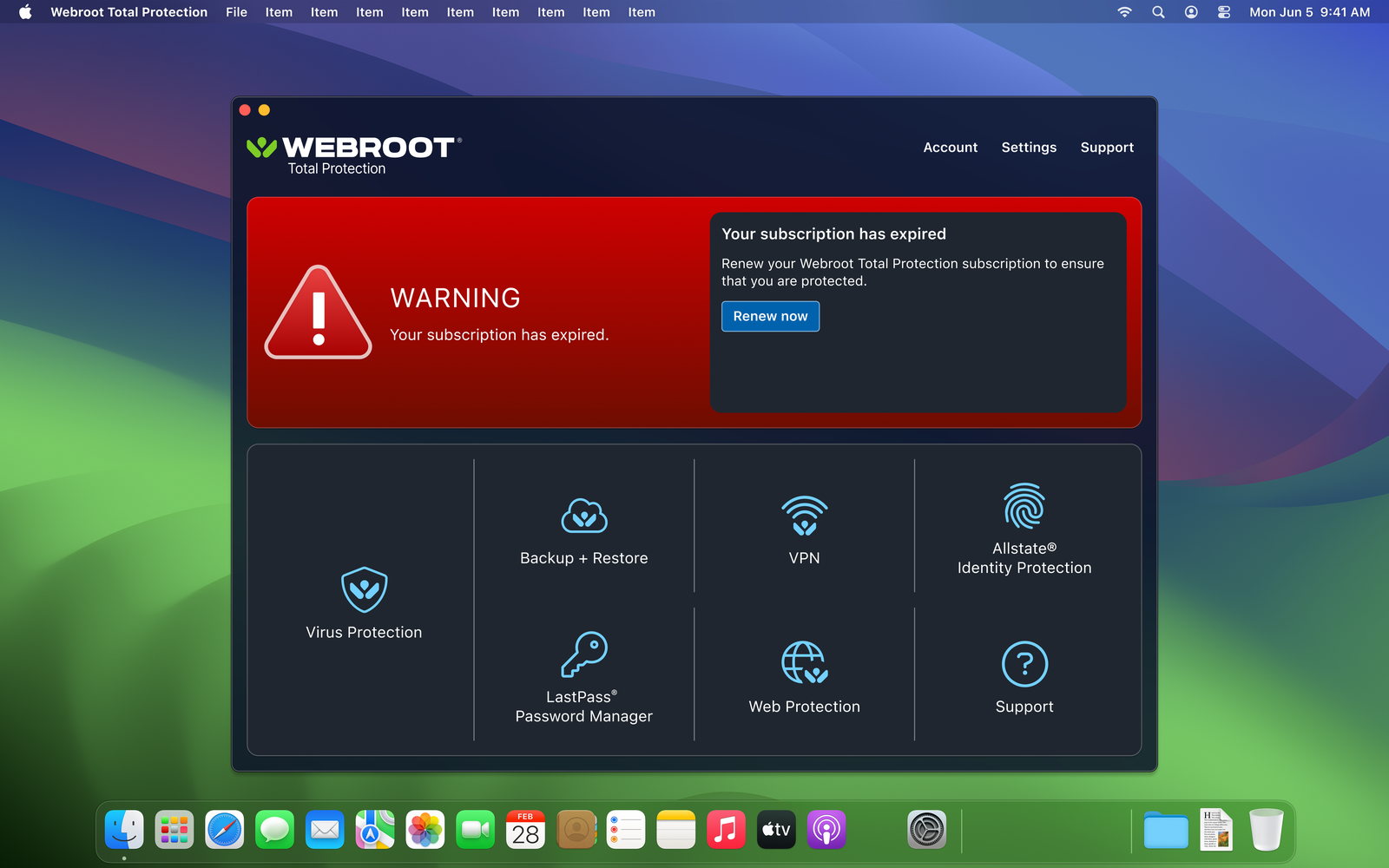
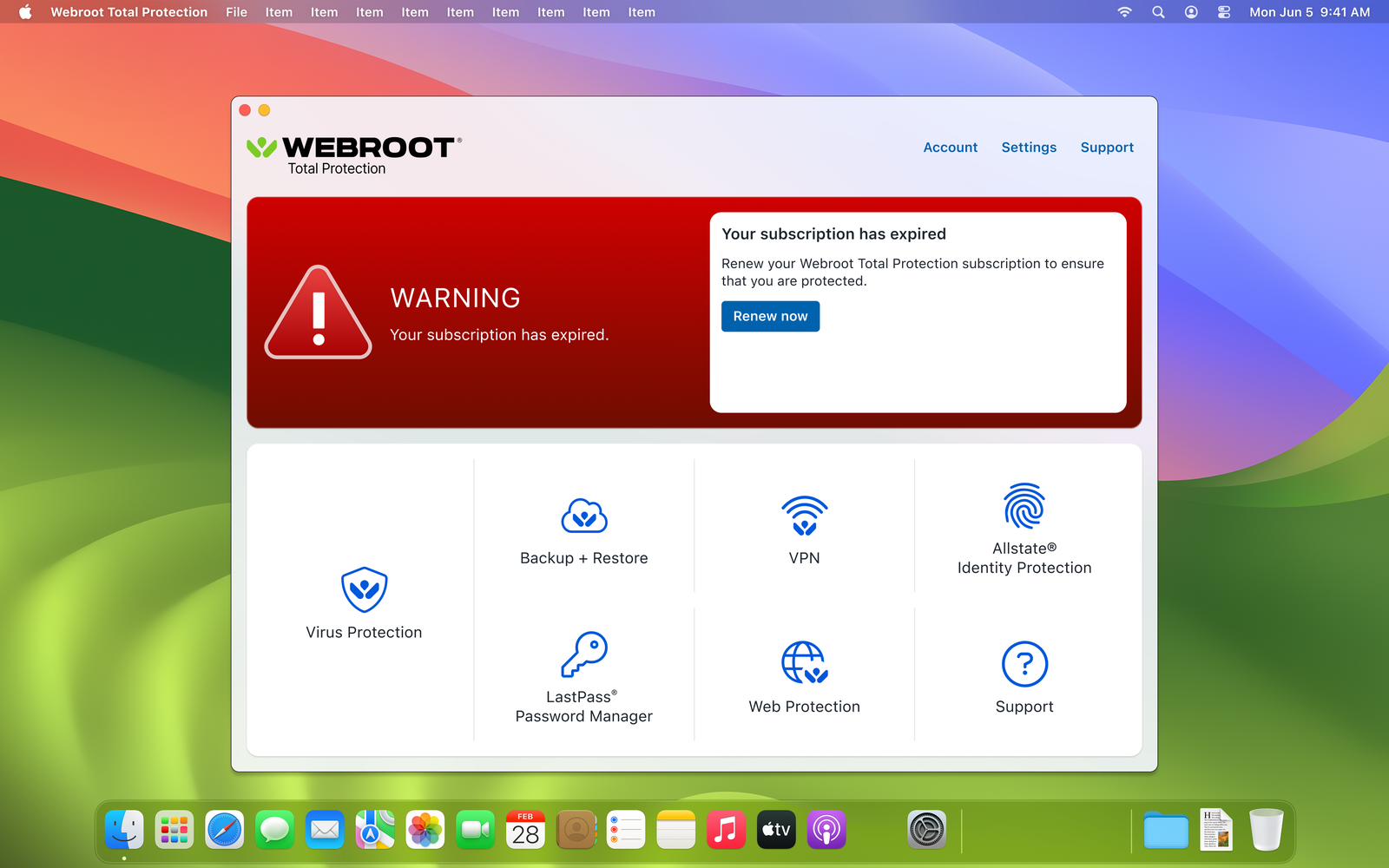
What the rebuild became: two sellable tiers
- Tier 01 · Total ProtectionVirus protection and web protection, VPN for untrusted networks, password management, backup and restore, and an identity protection add-on slot.
- Tier 02 · Scam ProtectionScam detection across links, messages and calls, dark web monitoring with alerting, and guided response when something is found. Sold standalone or as an upgrade.
- The shared spineA single protected, attention or warning state; the message center as the one place things get reported; a feature grid that grows without a redesign; light and dark, macOS and Windows.
Process
From a legacy client to a service people can read in one glance.
The existing client had accumulated years of features, each added in its own idiom, on top of a Mac build that had drifted far from the platform. Meanwhile the business needed to sell more than antivirus. The design work had to solve both at once, a rebuild that also made room for what came next, and do it on a brand palette that had been designed for marketing rather than for dense product UI.
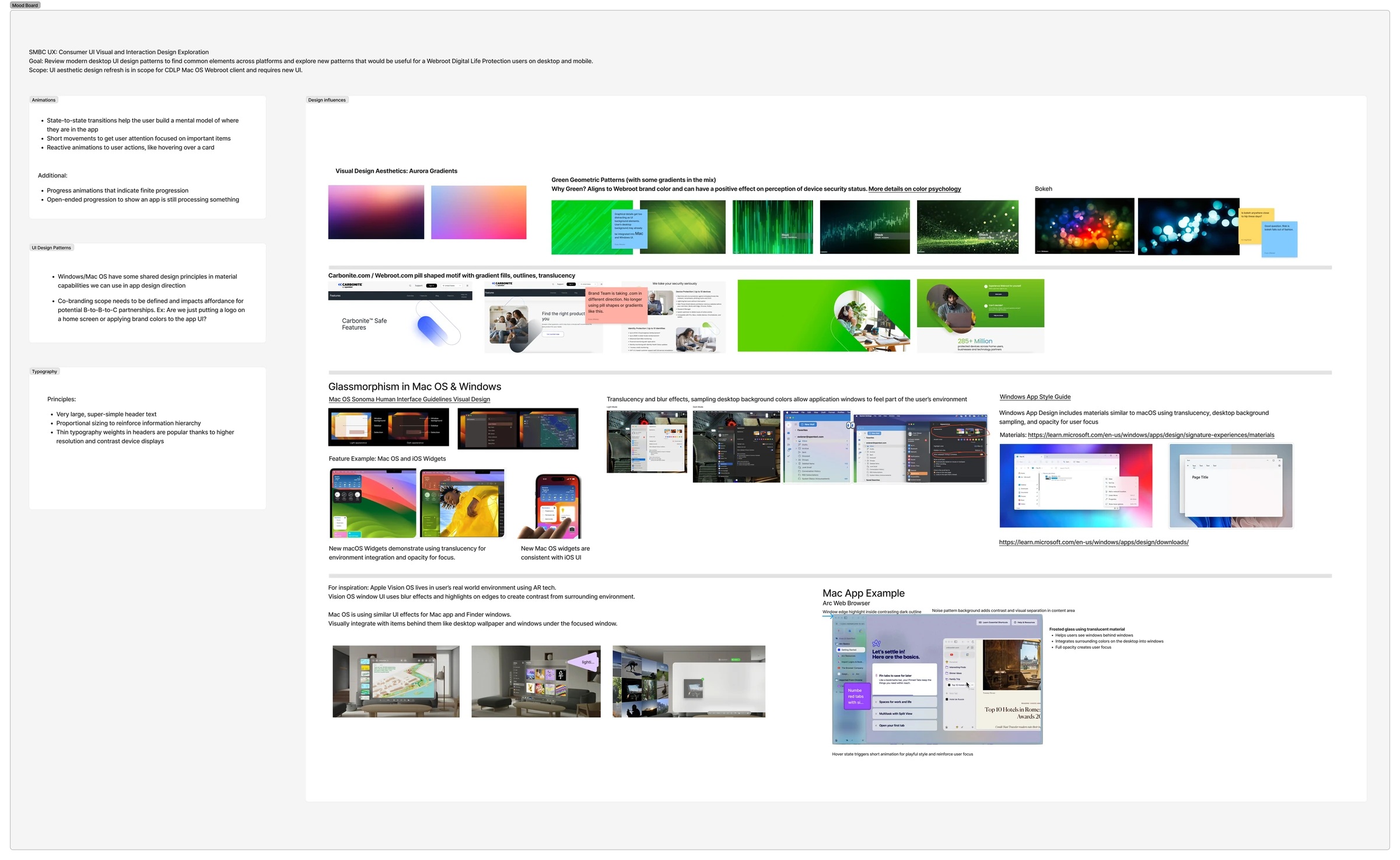
- Set the direction before touching the appA visual and interaction exploration across modern desktop patterns gave the team a shared reference, so critique argued about the product rather than personal taste.
- Made every service report into one status modelOne protected, attention or warning state at the top, and one message center for every event. That is what let the feature grid grow from four tiles to eight without another redesign.
- Refined the marketing palette into a product-safe systemAudited an agency palette against the real interface, moved the team from WCAG 2 ratios to APCA perceptual contrast, put contrast checking inside Figma, and wrote the pairings down.
- Packaged the rebuild into tiers the business could sellTotal Protection around VPN, passwords and backup; Scam Protection around dark web monitoring and scam detection, the risks customers actually name.
- Treated wayfinding and onboarding as the featureThe 23% VPN adoption lift came from surfacing every included service with first-run guidance and honest on or off status, not from new functionality.
- Led the designers, and moved accessibility upstreamAccessibility became a design-time constraint with tooling in the working file, and one shared system made a partner build configuration rather than a second product.
Antivirus was a commodity people renewed out of habit. Turning it into a tiered service, with the things people are actually afraid of on the front page and the features they already paid for made findable and legible, gave the business a reason to be chosen, not just renewed.
Full detail
Situation and task
Four frictions defined the brief:
- The app looked its age. An aging desktop client next to a modern macOS and Windows meant customers judged the protection by the chrome around it.
- Services lived in silos. VPN, password management, backup and identity each behaved like a separate product, so the bundle never felt like one purchase.
- No room to sell up. A one-SKU client had nowhere to express tiers, add-ons or a partner's brand without a fork of the product.
- Brand color built for billboards. A new palette arrived from an outside agency, tuned for marketing. Dropped into dense product UI it failed contrast and left states and small text hard to read.
What I did, in full
A.Set the direction with a visual and interaction exploration
Before touching the app, I framed the refresh as a research question and ran a UI visual and interaction design exploration across modern desktop patterns: macOS Sonoma and Windows materials, translucency and glassmorphism, motion that explains state, and the typographic and color decisions the brand could live with.
- Aligned the team on a shared reference so critique argued about the product, not personal taste.
- Named the co-branding question early: how far a partner's brand goes into the client, a logo or the whole palette.
- Used green deliberately, tied to the brand and to how people read “you're safe.”
B.One status model, one message center
Every service reports into a single protection state at the top of the app, and everything that happens, a completed scan, a blocked threat, an expiring subscription, lands in one message center with a clear action. That one decision is what let the grid below grow from four tiles to eight without another redesign.
C.Made the brand palette safe to design with
Marketing received a new color system from an outside agency. It looked right on a billboard and failed in a settings panel. Rather than let it land in the product and get patched screen by screen, I audited it against the interface and refined it into a product-safe palette.
- Moved the team from WCAG 2 ratios to APCA perceptual contrast, because it models the small text, thin weights and dark mode this product actually ships.
- Put contrast checking inside Figma. Plugins ran against the working file, so a violation showed up during design instead of during QA.
- Refined, didn't reject. Tuned lightness and pairings so the palette still reads as the brand while holding up in status banners, disabled states and long lists.
- Wrote the pairings down as approved foreground and background combinations, which is what let the Windows client and the co-branded partner build stay accessible without re-litigating color.
D.Packaged the rebuild into SaaS tiers
I worked with product to turn the rebuilt client into sellable tiers: Total Protection bundling VPN, password management and backup around the core engine, and Scam Protection built around dark web monitoring and scam detection, the risks customers actually describe when you ask them what they are afraid of.
E.Designed for discovery, not just for features
The 23% adoption lift on VPN came from treating wayfinding and onboarding as the feature. Bundled services had always existed; customers just never found them. Surfacing every included service in one grid, with first-run guidance and status that says whether it is actually on, is what turned a line item on an invoice into something people use.
F.Led the team, and left the practice better
I managed the designers on the work and set the direction with product and engineering, but the part that outlasted the release was the process.
- Accessibility moved upstream from a QA checklist to a design-time constraint, with tooling in the file the team already worked in.
- One shared system, status model, message center, component set and approved color pairings, so a partner build was configuration rather than a second product.
- Specs that survived handoff: states, empty and error cases, dark mode, and platform conventions on both macOS and Windows, so the shipped client matched the intent rather than approximating it.
- Evidence over opinion in review, which is what let the tier and packaging decisions be argued on customer risk instead of taste.
Results, in full
Revenue. Integrating VPN into the new Total Protection tier lifted revenue roughly 39% over the prior Webroot Premium tier, which carried Allstate Identity Protection services.
Feature adoption. VPN adoption rose 23% over previous versions, the payoff of better wayfinding, onboarding, and simply making people aware of what their subscription already included.
Conversion. A five-fold increase in conversion, with retention metrics expected to follow the same curve.
Accessibility. Moved the team to APCA contrast modeling and Figma tooling, and refined an agency-supplied marketing palette into a product-safe color system before it reached the UI.
Distribution. The co-branded Allstate Identity Protection client on Windows proved the system could carry a partner's brand end to end, which opened a route into B2B and B2B2C.
Revenue, adoption and conversion figures verified with the product management and sales teams.
Partnership
The same system, wearing Allstate. With the consumer product settled, we tested how far it could stretch: a co-branded Allstate Identity Protection device security client on Windows, built on the same status model, message center and feature grid, with Allstate's brand carried all the way through the interface rather than stickered on top. It answered the co-branding question the exploration had raised, and gave the business a route into B2B and B2B2C distribution.
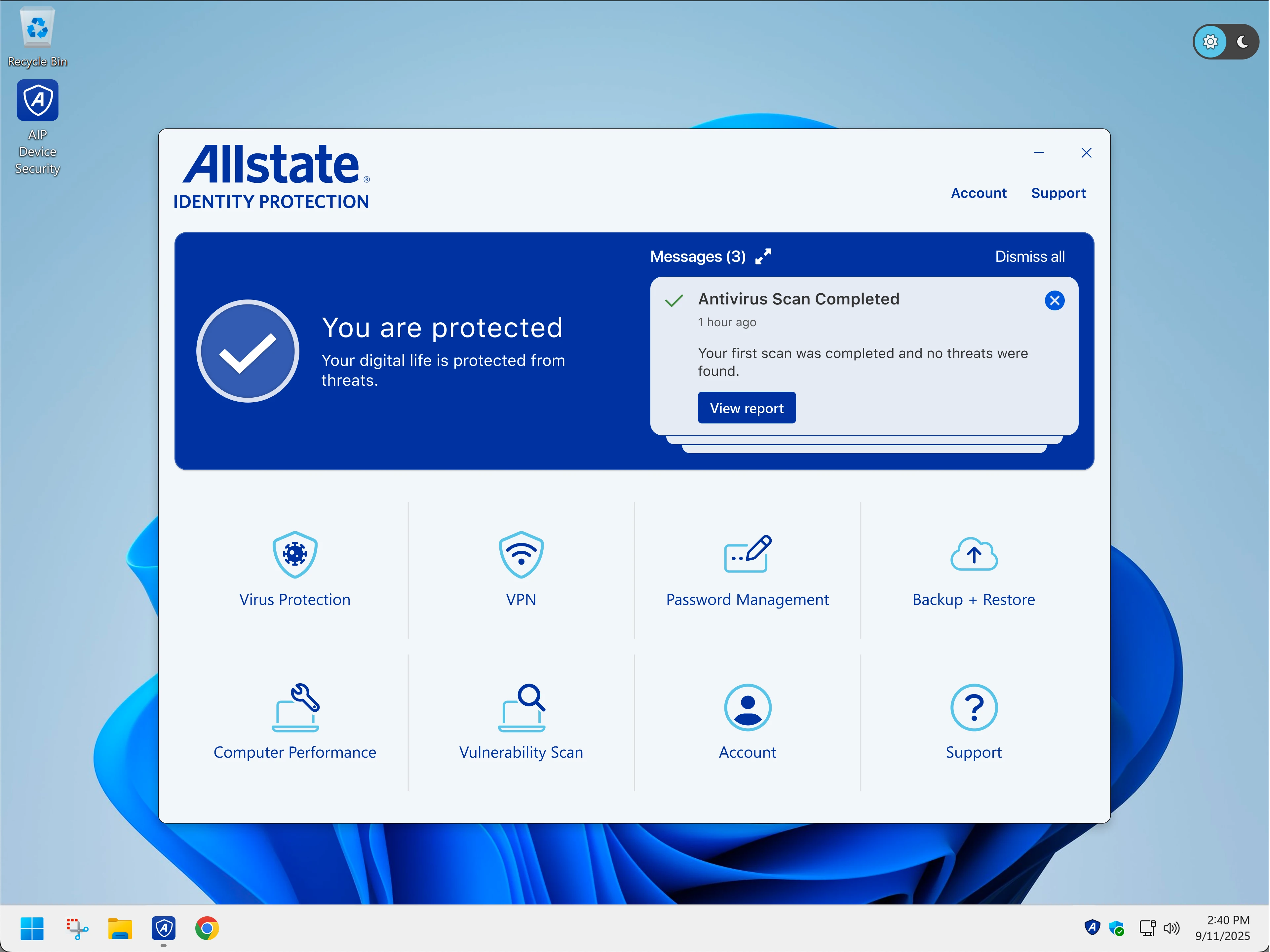
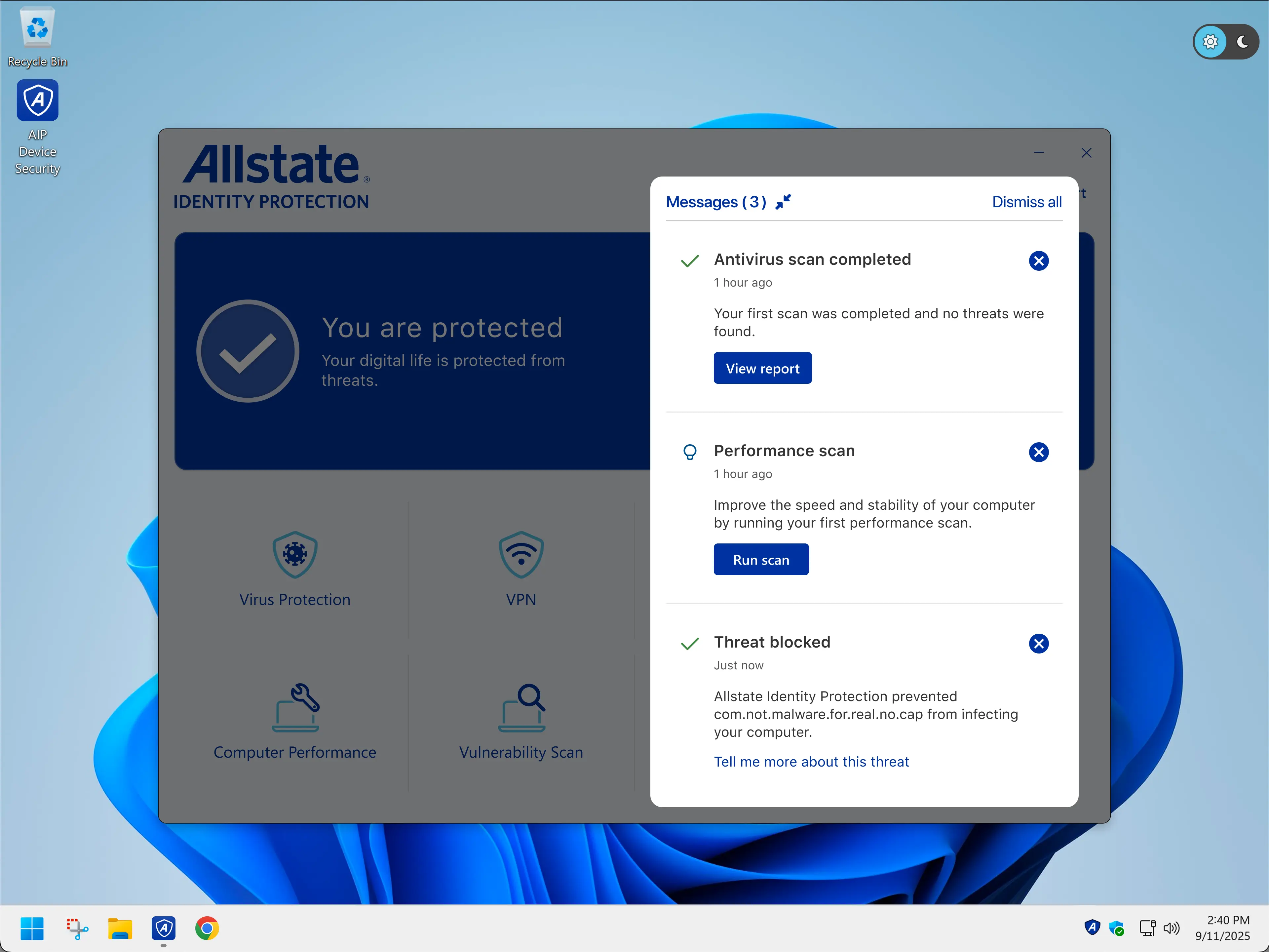
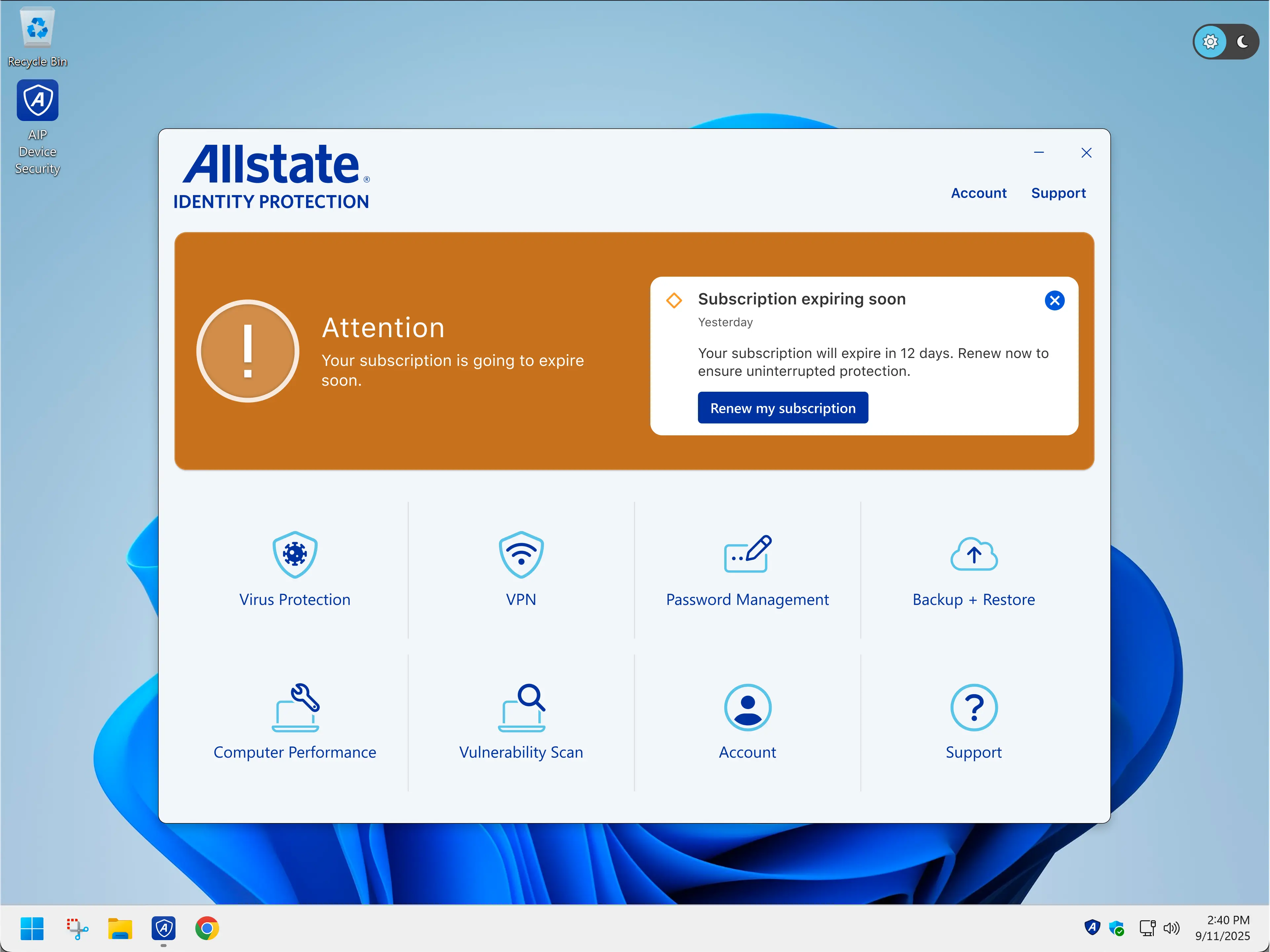
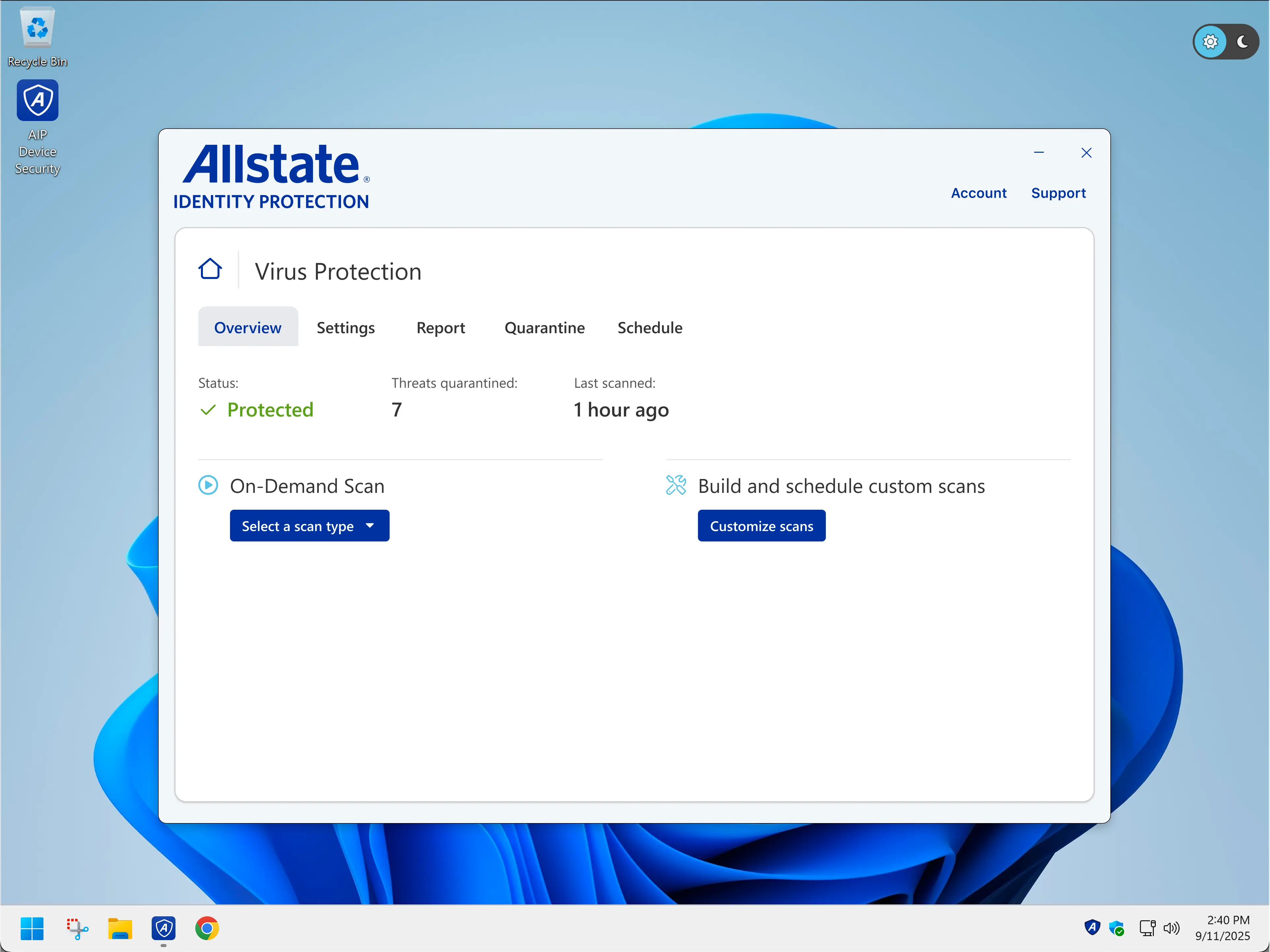
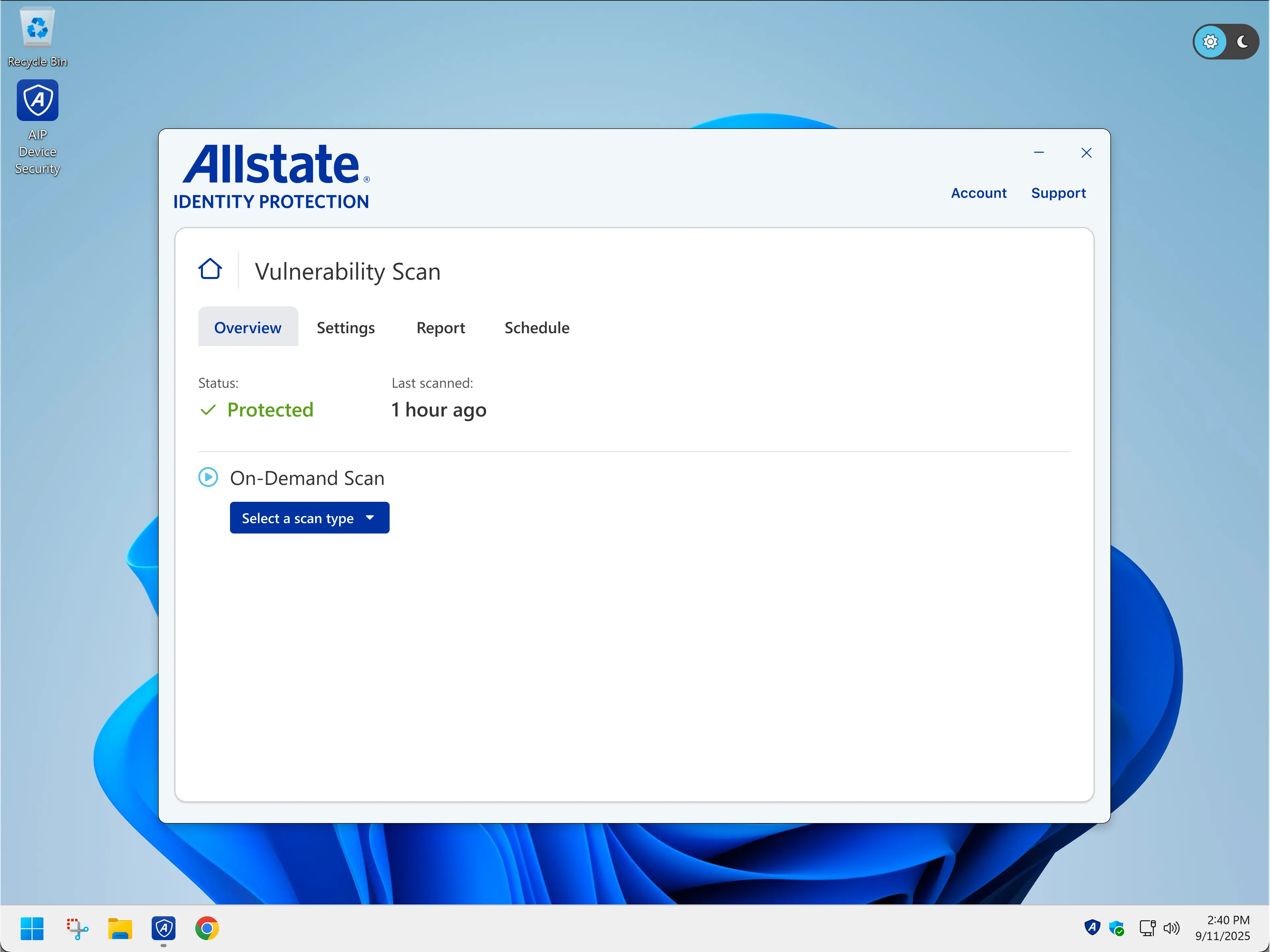
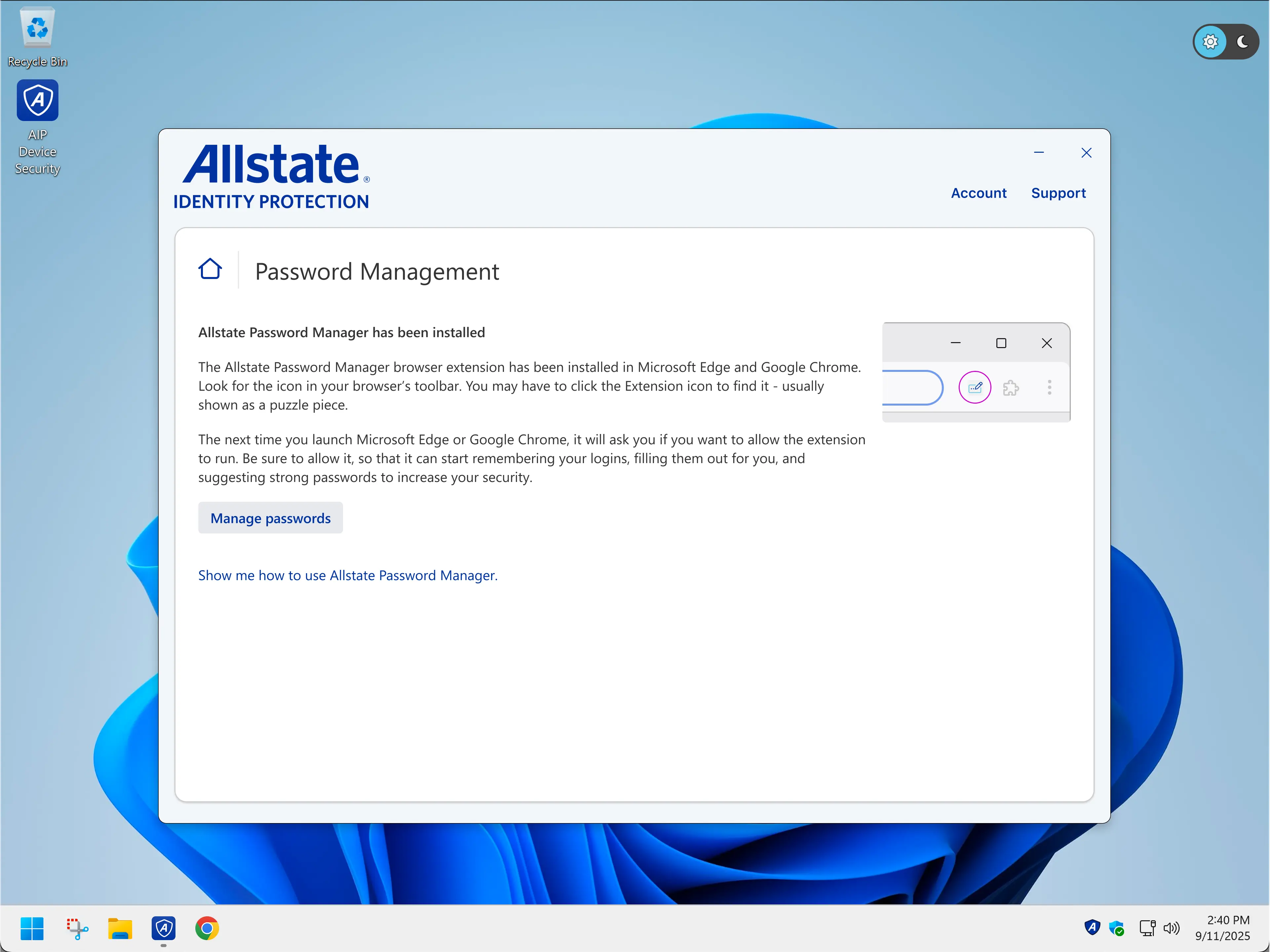
Because status, messaging and the feature grid were one system rather than one screen, a partner could take the client, keep their own brand voice, and ship without forking the product.